Case 01 · Own product · iOS · 2026
Tarotome — a journal of notes and personal observations for learning the cards
Tarotome is a native iOS app for learning tarot, which I took from idea to a publish-ready MVP on my own: research, product decisions, design, and development directed through an AI coding agent.
5 days
from idea to a publish-ready MVP
20+
screens in 5 sections
78
cards in the built-in deck
2
interface languages, RU and EN
§01
The problem
Most tarot apps either read the cards for you or lock your notes in fixed templates and ignore the deck you actually use. People who study tarot seriously end up with paper notebooks, photos in the camera roll and scattered notes.
I set out to design the opposite: a quiet personal journal where a card is an invitation to observe.
§02
Research
I analysed competitors' apps and read their reviews in the App Store and Google Play. The same pains kept coming up: you can't work with your own deck, notes are limited, and the app interprets the cards instead of helping you learn them.
These pains became the product principles: your deck, your words, no predictions, nothing collected.
§03
Positioning and MVP
I defined Tarotome as a learning tool and cut the MVP to its core: working with your own deck, personal meanings, notes and a daily practice. Everything else went into a version plan, along with a monetization model: a free version first, then Pro.
The name comes from tarot + tome, “a book of tarot”. I checked it against the App Store and domains, then created the logo and app icon together with AI, art-directing more than 20 options.
§04
Visual language
The interface follows Apple Human Interface Guidelines and Liquid Glass (iOS 26), so it feels native from the first tap. I built a palette and a type scale, light and dark themes, and three alternative app icons.
§05
Key decisions
Your own deck
Work with the deck you actually use, not only the built-in one. This personalises the app and makes the journal truly your own.
Living card
The card itself becomes the way into its meaning, so study starts with looking, not reading.
Card of the day
A short daily practice that turns study into a habit and keeps your history close at hand.
Learning through play
Practice is built into the app, so knowledge grows without memorizing.
Feel and sound
Haptics and sound make the daily ritual feel tangible.
Two languages, private by design
Russian and English with switching inside the app; all data stays on the device. If you like, you can study the cards in a second language alongside.
§06
Building with an AI agent
I had no development team, so I directed an AI coding agent (Claude) the way a product designer works with engineers: I wrote specs for every feature, reviewed each iteration against the designs, tested on a real iPhone and sent precise feedback.
The agent wrote the code: a native app in Swift and SwiftUI, about 3,800 lines in 18 files. The first publish-ready MVP took five days. The launch work was mine: Xcode builds, a domain set up through Cloudflare, a website with the privacy policy, email on the app's own domain and an Instagram account.
§07
Result
A working iOS app with 20+ screens in 5 sections and a bilingual interface, now being prepared for the App Store.
For me, it shows a full product cycle in one pair of hands: research, positioning, MVP scope, design system, and delivery.
§08
What I took away
AI changes the speed, not the job. The agent wrote code quickly, but every decision about what to build, what to cut and what “done” looks like stayed with me.
Writing clear specs and reviewing work on a real device turned out to be the same skills I use with development teams, just on a much shorter loop.
№01
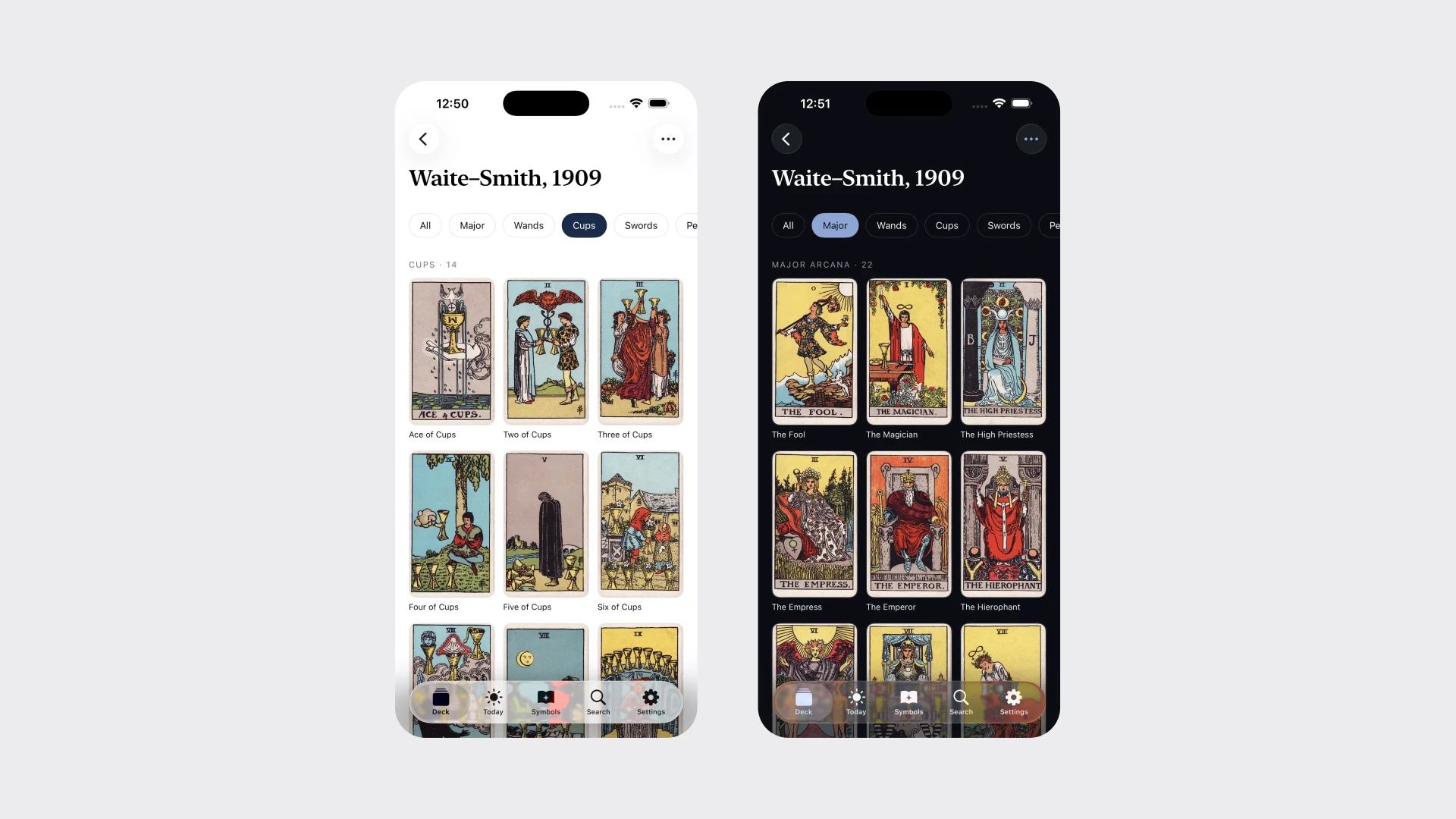
Decks: the built-in deck and your own, in one place.
№02
Card page: the card, the meanings you choose and your own notes.
№03
Dark theme on the card page and in the notes editor.
№04
Card of the day in light and dark themes.
№05
Symbols: a dictionary for learning the language of the cards.
№06
App icon and settings: appearance, sounds, three alternative icons and language switching inside the app.
Next case
In-app chat for a PWA